How to row on your TV with a SmartRow or WaterRower
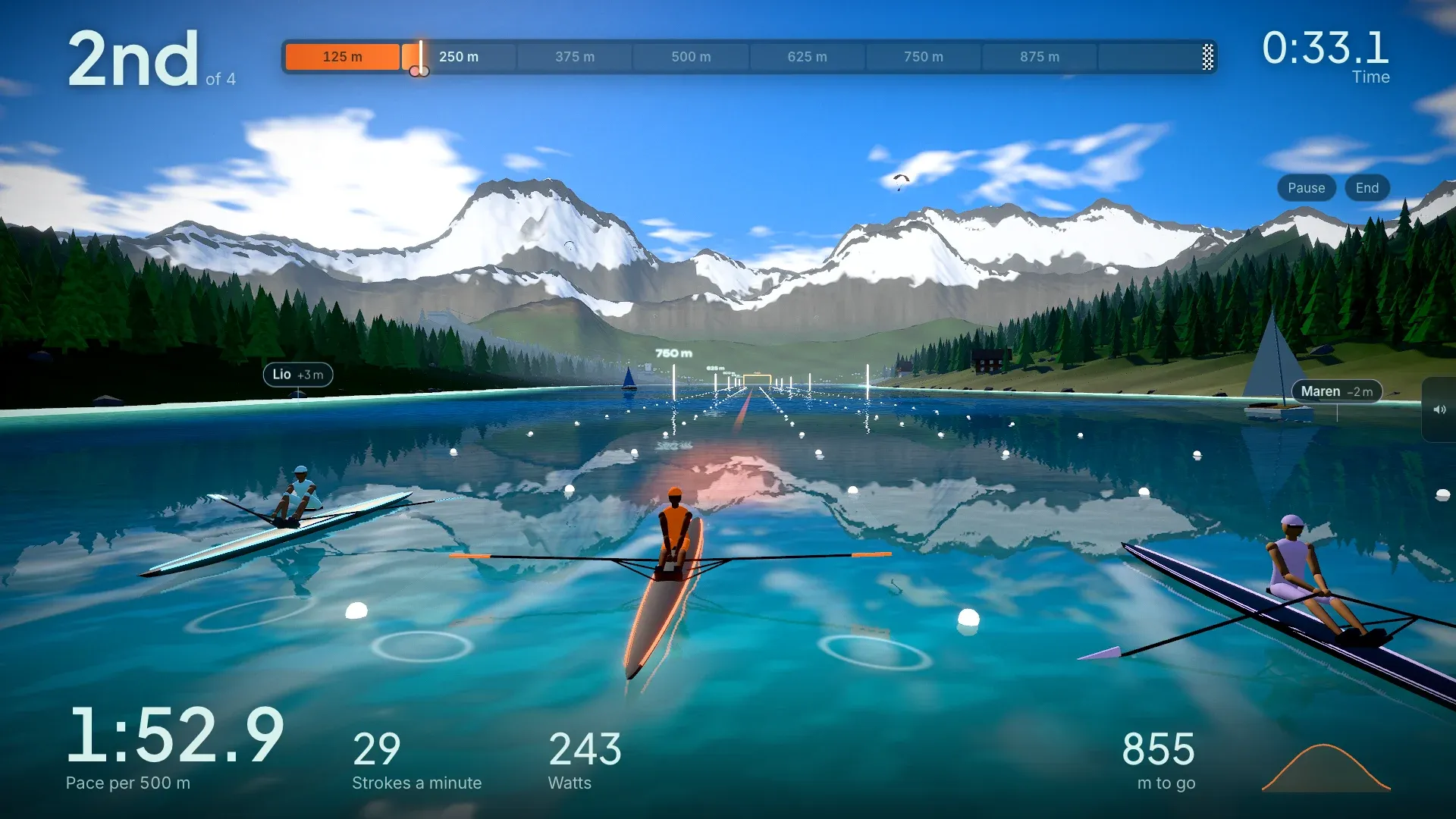
Rowing at home is honest work, and staring at a wall or a small monitor for half an hour makes it feel longer than it is. With a TV in front of your rower, you can follow your pace, stroke rate and power at a glance, and row somewhere other than your living room.
This guide shows how to do that with RowingBuddy, a rowing game that runs in your browser. It takes about five minutes the first time.
What you need
- A rower that talks Bluetooth. A SmartRow, a WaterRower S4 with the WaterRower Bluetooth ComModule, or any rowing machine with standard fitness Bluetooth (called FTMS). The SmartRow app’s broadcast mode works too.
- A computer, or an Android phone or tablet, with Chrome or Edge. These browsers can connect to a rower over Bluetooth. Browsers on iPhone and iPad can’t yet; a RowingBuddy app for them is on its way.
- A TV you can mirror or cast to, or plug a cable into.
No rower nearby? RowingBuddy has a built-in simulator, so you can try everything first.
1. Connect your rower
Open RowingBuddy in Chrome or Edge and choose Rower. Pick your machine from the list:
- SmartRow: pull the handle once to wake the sensor, then choose it in the browser’s Bluetooth window.
- WaterRower S4: wake the monitor with a stroke or any button. If another rowing app on a phone or tablet is still connected to the rower, close it first: the rower only talks to one app at a time.
- Other Bluetooth rower: wake the monitor the same way and pick it from the list.
Once it’s connected, row a few strokes. The live numbers on the screen should match your rower’s own display.
2. Put it on the TV
Pick whichever of these suits your setup:
- A cable. A USB-C to HDMI cable from a phone or laptop gives the sharpest picture and no delay. It’s the best choice if your rower sits close to the TV.
- Casting from Android. Open quick settings and use Cast or Smart View to a Chromecast or Google TV.
- A computer. Use the TV as a second screen over HDMI, or cast the browser tab.
Turn your phone sideways before you start mirroring, so the picture fills the TV edge to edge, and keep it on a charger for long rows.
3. Pick a world and a workout
Choose where to row: an Alpine lake, the canals of Amsterdam, the Thames through London, a ring of light around a giant planet, or a road above the clouds. Then pick a piece: a 500 m sprint, the classic 2,000 m, 20 minutes against the clock, intervals, or just row with no target.
In a race you row against three pacers. One goes out hard, one holds an even pace and one saves it for the finish. Row a workout twice and you can race your own best as a ghost.
Tips for a better session
- Sit the TV at eye level if you can, so you look ahead rather than down. Your neck will thank you on long rows.
- Watch pace, not speed. The big number is your pace per 500 m: lower is faster. Hold it steady before you try to push it down.
- Use the stroke rate. For steady rows, 18 to 24 strokes a minute is plenty. Long, strong strokes beat short, fast ones.
Ready? Open RowingBuddy and row your first 500 m.
SmartRow and WaterRower are trademarks of their owners. RowingBuddy isn’t made or endorsed by them.